
by Charles Scarborough, SCDNR archaeology intern
I’ve had the pleasure of being an archaeology intern with SCDNR the past two semesters, and in that time, I’ve had the opportunity to learn about and do photogrammetry. Photogrammetry is a fascinating field at the intersection of photography, 3D modeling and computer science. At its core, it involves the process of extracting geometric information from 2D images to generate 3D models of objects or environments. In simpler terms, taking photos of an object and using those photos to make a 3D digital version of the object. In my work at SCDNR, I have had the opportunity to do photogrammetry on a wide variety of artifacts including Edgefield pottery, lithics, and most recently, historic ceramic sherds.
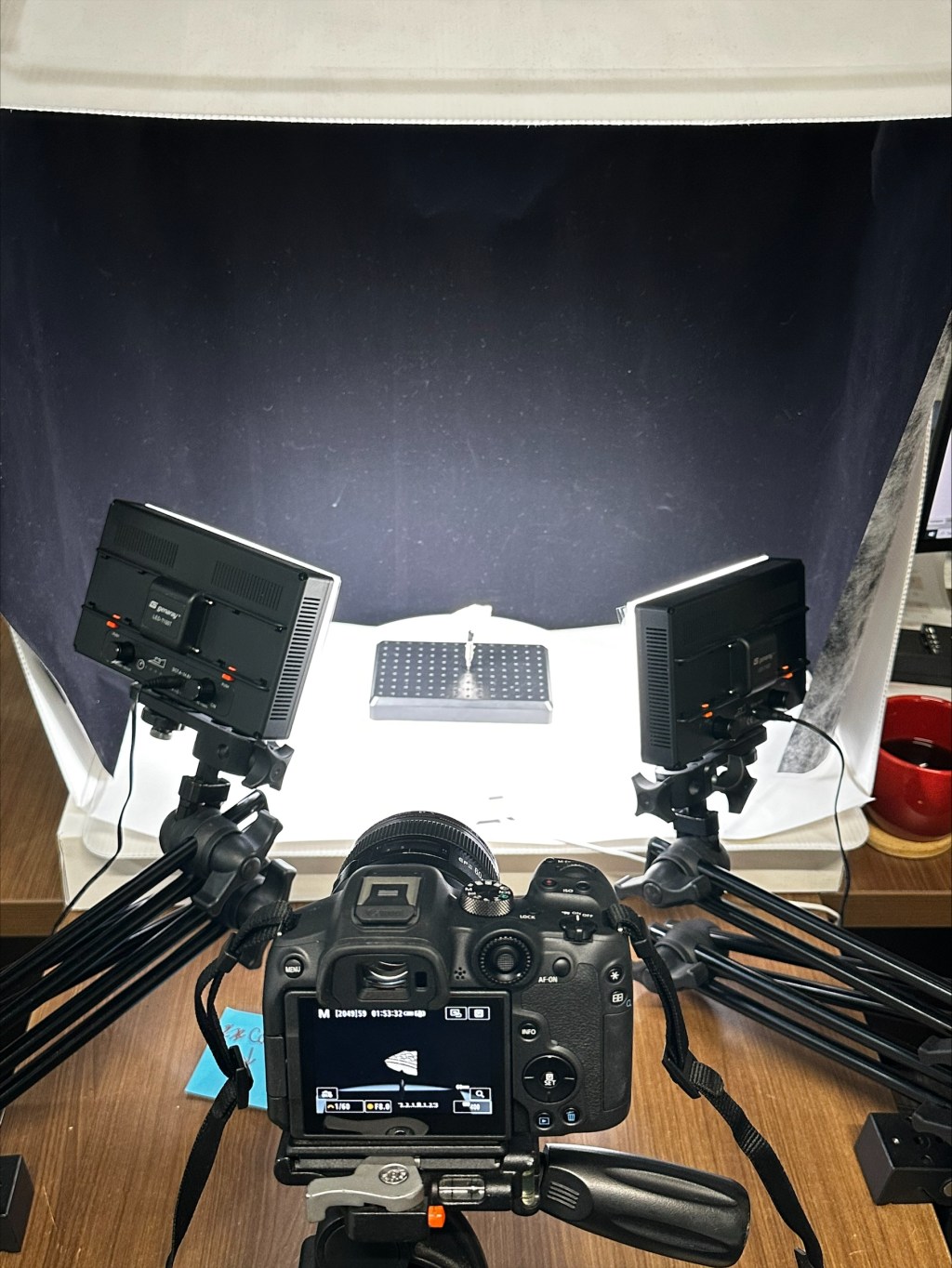
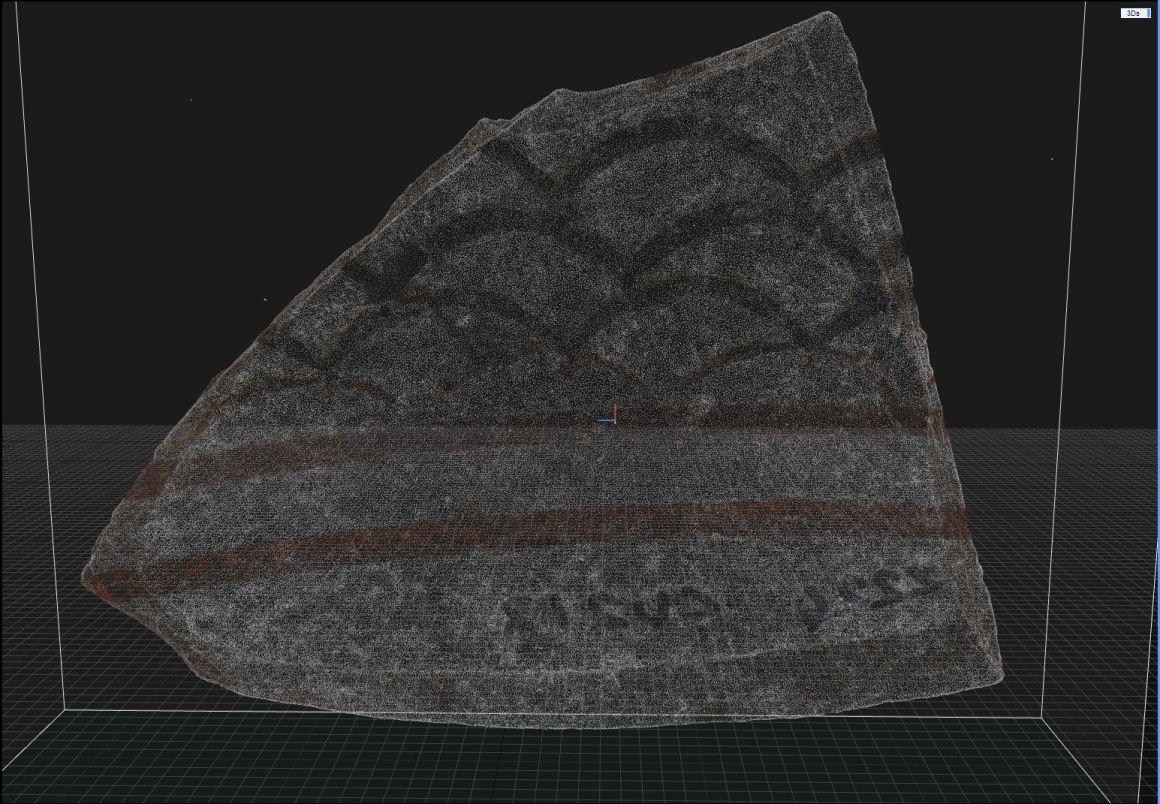
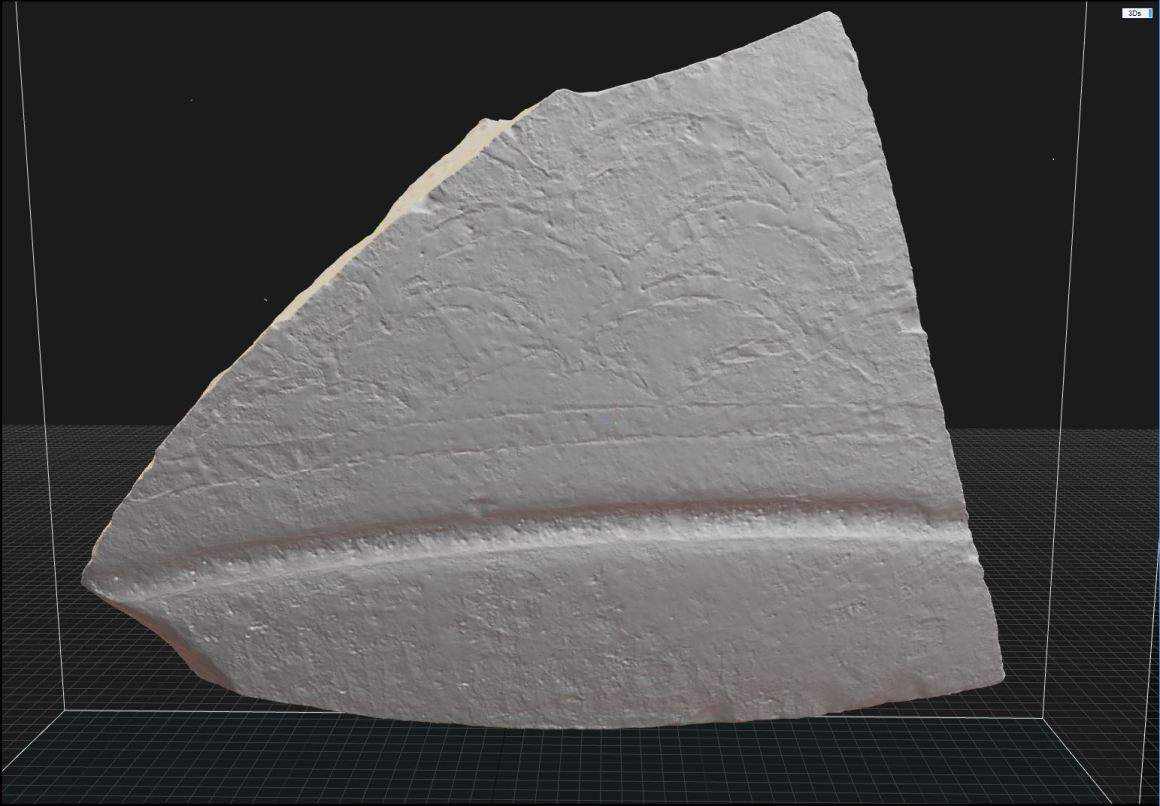
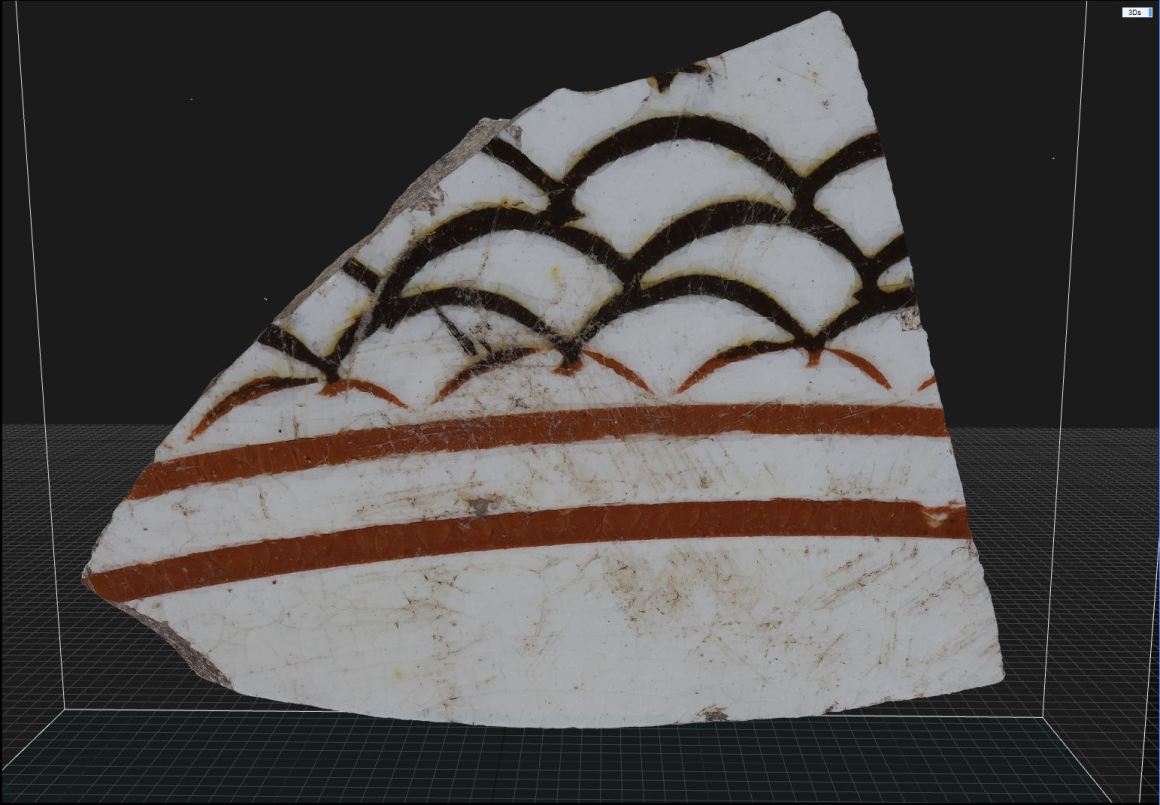
One recent model I’ve done is a decorated creamware sherd, and I think represents the process of photogrammetry at SCDNR well. The first step when making a model is scanning. This involves taking multiple photos of the artifact at a few different angles to capture every part of the object. This is usually done by setting up the object on a turntable which allows me to rotate the object and take photos of all the sides (fig. 1). After taking a few rounds of photos of the object in different orientations comes the processing stage. In the processing stage, we pull all the photos we took into a software which analyzes all the images and picks specific points seen in the photos to create a point cloud (fig. 2). The point cloud is a set of 3D points that act as a rough representation of the object that was scanned. This point cloud is then used to make a solid untextured model which includes all the same bumps, scratches, and any other surface details seen on the real object (fig. 3). The final step is texturing, in this step the software takes the photos and maps them to the object creating a finished colored model that, if everything went well, looks just like the real object (fig. 4).
This model of a decorated creamware sherd is part of a digital type collection we are building for future interns who may come across these ceramic sherds in the lab. The idea is that as interns come across ceramics in the lab, they have a collection of highly detailed models of different types of ceramics that they can use to compare with what they find. So, for example if someone were to find a sherd they don’t know, they can look through the digital type collection and find a 3D model that looks like what they found and be able to compare as well as find more information about the type of sherd via a description attached with the model. This digital type collection is just one of the many applications of photogrammetry I’ve learned about during my time at SCDNR.
Photogrammetry has applications within education and outreach, documenting sites/structures in-situ, curation, and documenting objects for conservation and preservation among many other things. Photogrammetry, as mentioned earlier, lies at this interesting intersection of photography, 3D modeling and computer science. This enables a different approach to documenting, as well as providing a new way to interact with archaeological material. The ability to pull up a life-like 3D model of an artifact or site on your phone at any time and in doing so learn something in the process can be really powerful. My time as an archaeology intern at SCDNR has been super informative and the opportunity to do photogrammetry and learn about its applications has been great. From building digital type collections to enhancing education and conservation efforts, photogrammetry has provided new ways for people to interact with archaeological material and preserve our cultural heritage for future generations in a dynamic and accessible manner.
View SCDNR Heritage Trust Program 3D models on Sketchfab here – https://sketchfab.com/SCDNR-HTP/models.
 SCDNR Blog